No Quarters Required For Washer/Dryer Use
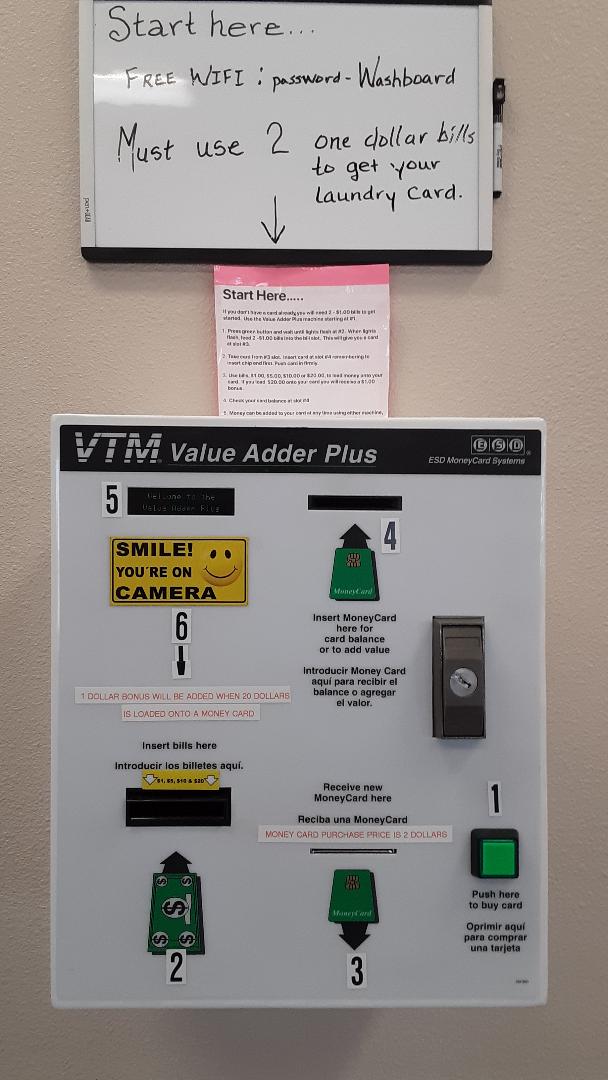
This laundromat's washers and dryers operate with the use of a money card only. There is a machine on site where a card may be purchased with two(2) $1 bills. The instructions for operation are clearly written and displayed directly above the machine. We've numbered the steps for clarity of use as well as placing coordinating numbers on the machine itself.
We do have a soap vending machine which uses quarters. The price for one box is four quarters. 1 box is needed per wash. Our snack and soda machines vend with cash and coins also.
We do have a soap vending machine which uses quarters. The price for one box is four quarters. 1 box is needed per wash. Our snack and soda machines vend with cash and coins also.
|
Money Card Purchase Instructions1 - Push the green button and wait until lights display at slot labeled 2.
2 - Feed two(2) $1 bills into the slot labeled 2. This will trigger a money card to dispense at slot 3. 3 - Remove your money card from slot 3 and place it into slot 4 making sure the chip is inserted face up. 4 - When your money card is fully inserted into slot 4, the display to the left at 5 will tell you how much money is available for use on that money card. A new money card will display a zero balance. You may now insert bills, $1s, $5s, $10s or $20s. Each bill added will add to the balance on your money card and will show up on the display panel labeled 5. Please note: for each $20 added we give a $1 bonus. If you add two(2) $20 bills you will have received back the money spent to buy your money card. 5 - You may now remove your “loaded” money card and proceed to the machines. |
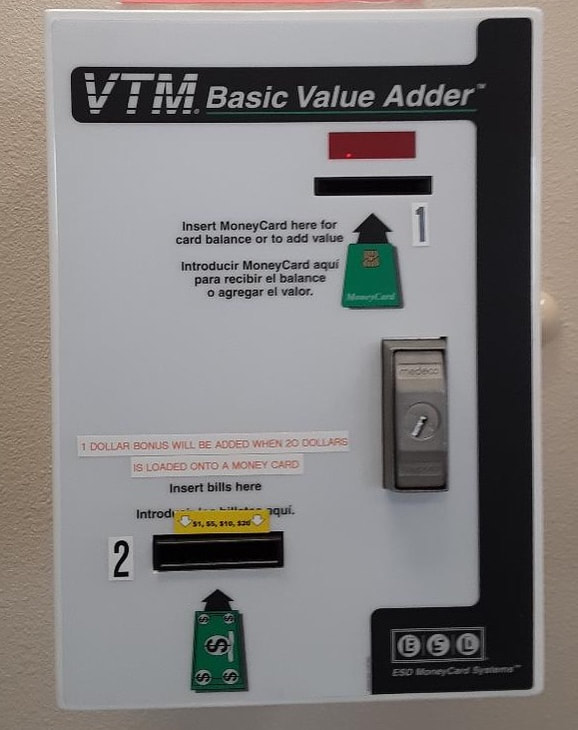
Convenient Card Reload These cards are yours to keep and reuse. Once you have used the original money loaded on your card, reloading is very simple. The smaller machine to the left of the “card” machine adds money to your card anytime. Just follow steps 3 – 5 to reload money on your card.
Note: Once value is added to your card, it remains there indefinitely until used to operate the machines. |
|
